DYF, a dance-class organiser, sells its classes through Bookeo, a third-party booking platform. I built the app its staff use at the door: scan a customer’s booking QR on a phone, see at once whether they are booked onto this class and have paid, and check them in, even when the venue’s signal drops. I wrote the front end, the API and the AWS infrastructure.
Nothing here identifies DYF’s venues, staff or customers. The screenshots are from a local copy with sample data and neutral branding.
rolesole developerall 38 commits · front end, API, infrastructure
scale16 API endpointssix over Bookeo · one check-ins table of its own
dates2026February 2026 · built in four days
1 · the problem
Check people in at the door fast, on a phone, with a signal that comes and goes.
Customers book and pay for classes through Bookeo. At the door, staff have to confirm each person is booked onto this class, at this time, has paid, and has not already been let in, while a queue builds behind them.
Venues are not offices: mobile signal comes and goes, and the booking platform rate-limits its API. The app had to keep scanning through both, and never record the same person twice.
2 · what I built
A scanner on the phone, an API in front of Bookeo, and a queue for when the signal drops.
A Next.js 16 progressive web app runs on staff phones and talks only to a small Laravel 12 API. The API holds the Bookeo keys, verifies each booking against Bookeo, keeps its own record of check-ins and writes attendance back to Bookeo in the background.
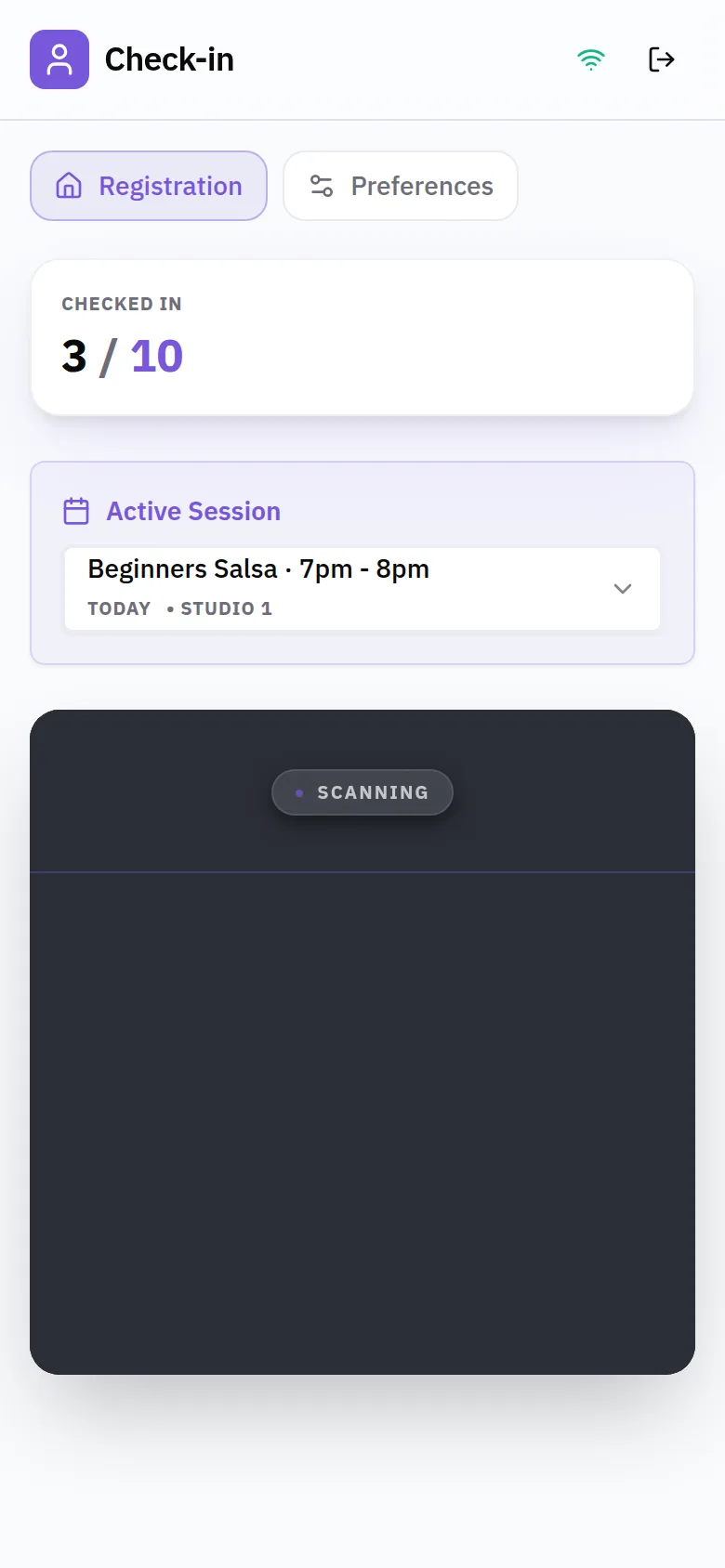
▸Scan to verifyThe camera reads the booking QR and the API checks it against Bookeo: the right class and time, not cancelled, fully paid. The card also shows how many classes the customer has attended and when they last came.
▸One-tap check-inChecking someone in records it immediately in the app’s own database and hands the Bookeo update to a queued job, so the door never waits on the booking platform.
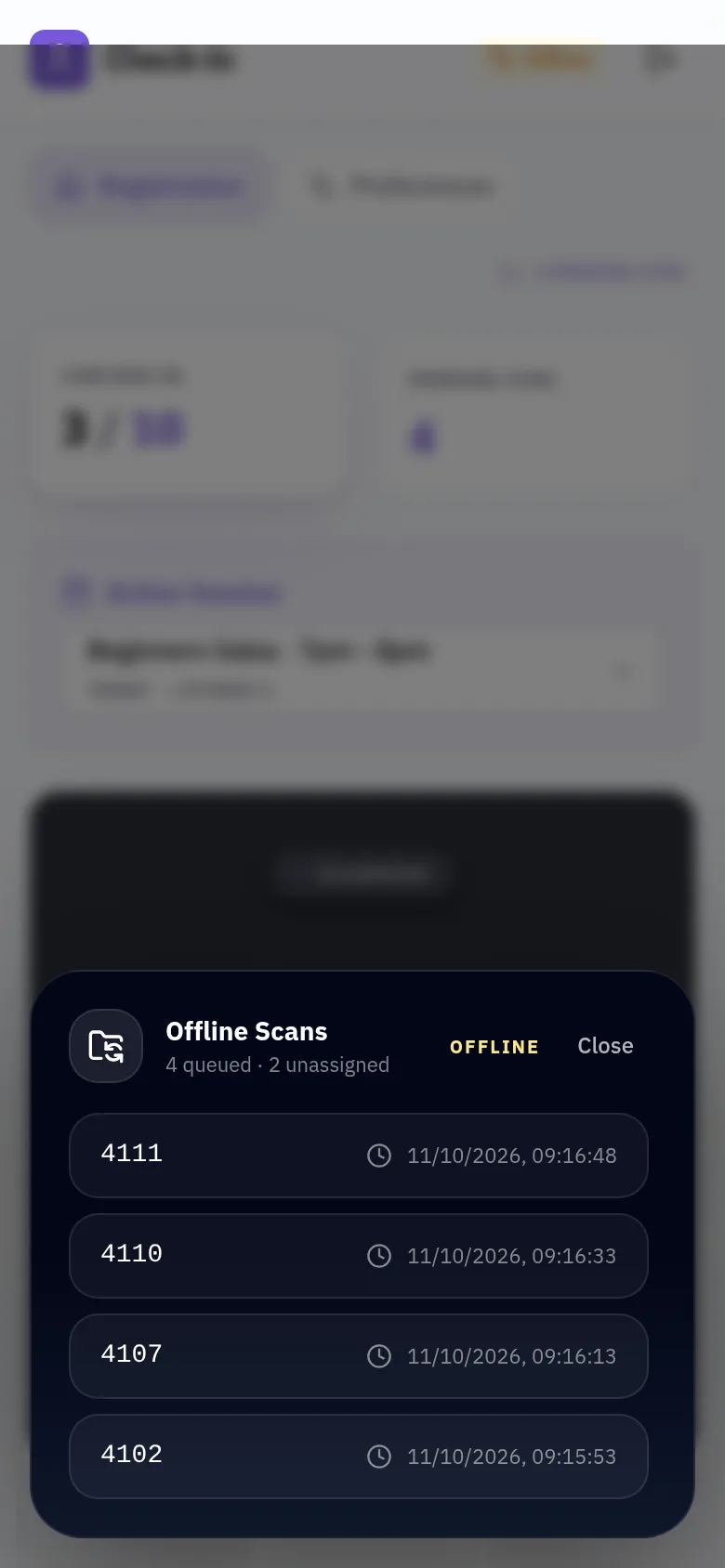
▸An offline scan queueWith no signal, scans are saved on the phone, de-duplicated by booking and class time. They replay when the connection returns and every 30 seconds after, and scans taken before a class was chosen can be assigned to one in bulk.
▸A service worker for the shell and dataThe app shell and assets are cached so it opens offline. Booking lists are fetched network-first with a cached fallback, and products and class times are served stale while they refresh.
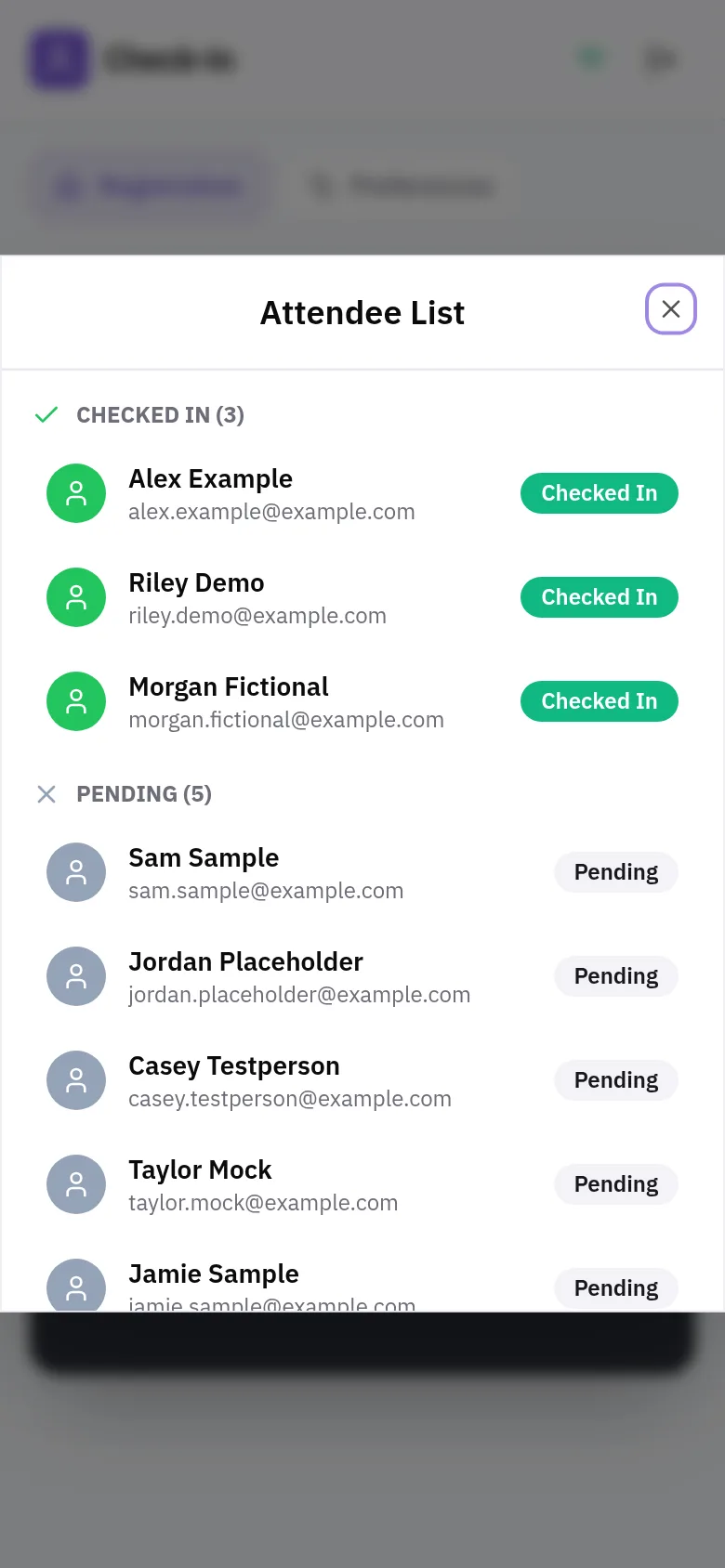
▸A live count at the doorFor the chosen class the app shows who is expected and who is in, counting party size, with a full attendee list to check people in by hand when a QR will not scan.
▸A client that respects rate limitsThe Bookeo client retries rate-limited calls after the delay Bookeo asks for, passes the wait on to the phone when it must, and discovers class times from bookings for products Bookeo does not schedule in fixed slots.
From the phone to Bookeo, and back when offline
Select any box to see what it does. The phone never talks to Bookeo directly: every call goes through the app’s own API, which keeps the keys and its own record of who is in.
architecture
on the phone · installable web appofflineonlinereplayreadspages/apidispatchSQLcacheverifysync
selectedscan queue[LOCAL STORAGE] [SYNC]
Offline scans are kept on the device with their class and start time, one entry per booking and class occurrence. When the phone comes back online the queue replays, skips anything already checked in, and keeps whatever the API rejects for staff to reassign.
scan screenScanning a booking QR at the door.check-in listWho is expected and who is in.offline queueScans queued offline, ready to replay.
3 · infrastructure
Fargate on AWS, declared in Terraform, deployed on every push
Select any box. Everything in AWS is declared in Terraform, and CI reaches AWS through a short-lived role rather than stored keys.
infrastructure
AWS · one UK regionpushapplyparamsAhttpspullsecretslogsSQLcachefiles
selectedweb task[ECS] [FARGATE]
One Fargate task runs the gateway, the Next.js server, the Laravel API and a WebSocket server side by side in private subnets, reaching the internet through a NAT gateway. It has ECS Exec enabled so CI can run migrations inside it.
A progressive web app with a service worker and an on-device queue
because
Any staff phone can install it from a link, the camera works in the browser, and updates ship with a deploy instead of an app-store review.
cost
The queue lives in browser storage on one device. If someone clears it before the phone is back online, those scans are gone.
4.2 · One check-in per booking and class time
chose
De-duplicate on the phone and a unique index on the server
because
A double scan, a replayed queue or two phones at one door all end as a single check-in. Replays are safe, so the queue can simply try again.
cost
Every scan needs its class time. Scans taken offline before a class was picked wait until someone assigns them.
4.3 · The server decides conflicts on replay
chose
Queued scans go through the same checks as live ones
because
A scan queued offline might turn out to be for another class, or for a booking cancelled in the meantime. The API rejects it, and it stays in the queue to be reassigned rather than being forced through.
cost
Rejected scans need a person to sort them out.
4.4 · Own the check-in, sync Bookeo later
chose
Record locally first, then write to Bookeo from a queued job
because
The door moves at the speed of the app’s own database, not the booking platform’s, and Bookeo’s rate limits only slow the background job.
cost
Bookeo lags a little behind the door, and failed syncs need watching after their retries.
4.5 · Bookeo behind the app’s own API
chose
Proxy every Bookeo call through Laravel
because
The API keys never reach a phone, responses are shaped for the scan screen, and the app’s own check-in state is merged in before anything is shown.
cost
An extra hop on every read, and one API absorbing Bookeo’s rate limits for every phone.
5 · testing & delivery
Every push to main ships.
The pipeline is complete: GitHub Actions assumes an AWS role through OIDC, builds three images in parallel with a layer cache, applies Terraform with the new tag and migrates the database inside the running task.
It was built in four days for a client who needed it at the door. Larastan is configured for the API.
$ git push origin main
static analysis
Larastan, level 5
pipeline
push → 3 images → Terraform → migrate
CI access to AWS
OIDC role, no stored keys
secrets
SSM parameters from CI secrets
deploys
one at a time, never cancelled
6 · results
$ git log --oneline --all | wc -l
commits
38, all mine
first commit to last
four days
API endpoints
16
scans without signal
queued and replayed
duplicate check-ins
impossible by index
deploy
one push to main
Need an app that keeps working when the signal drops?